

SBI WhatsApp Banking: Features, Services, Registration & Benefits - Yono






















SBI WhatsApp Banking: Features, Services, Registration & Benefits
29 May, 2026
digital channel

SBI WhatsApp Banking: Features, Services, Registration & Benefits
Managing your bank account is no longer hectic, it’s now easier with SBI’s WhatsApp Banking. India's largest public sector bank brings core banking services right to your WhatsApp chat. Whether you want to check your balance or get a mini statement it's all just a message away. In this guide, you will learn everything about SBI WhatsApp Banking, how it works, how to register, what services it offers and how to stay safe.
What is SBI’s WhatsApp Banking?
SBI’s WhatsApp Banking is an official digital banking service available through WhatsApp application that allows account holders of bank to access several banking services. All you have to do as a customer is to register for the SBI WhatsApp Banking by using your registered mobile number with the bank.
Features of SBI WhatsApp Banking
- 24*7 Banking Assistance: Available round the clock including public holidays.
- Instant Account Information: Check your account balance, mini statement, pension slip in seconds, anytime, anywhere.
- Product Information: Get details on savings accounts, FDs, home loans and debit cards right within the chat.
- Zero Wait Time: Access banking services instantly on WhatsApp without any waiting time, ensuring quick and seamless responses whenever you need them.
- Easy Menu-Based Navigation: Simple menu based system to navigate through various service based requirements.
Services Available on SBI WhatsApp Banking
Here's a summary of core banking services through WhatsApp currently offered by SBI:
|
Service |
Description |
|
Account Balance Enquiry |
Check current balance of your savings account |
|
Mini Statement |
View last 5 transactions of your account |
|
Pension Slip |
Get your pension slip |
|
Request Cheque Book |
Apply for New Cheques |
|
Block Debit Card |
Debit Card usage can be blocked by customer |
|
Loan Services |
Get instant details on home loan, car loan, gold loan and personal loan easily |
|
Interest Certificate |
Get Deposit, Education Loan, Home Loan Interest & TDS Certificate |
How to Register for SBI WhatsApp Banking
Registration is quick and requires no paperwork. Follow these steps:
- Ensure your WhatsApp number is the same as your SBI registered mobile number.
- Save the official SBI WhatsApp Banking number +919022690226 in your contacts.
- Open WhatsApp and send 'Hi' to this number.
- Your number will be confirmed and registered. You will receive a welcome message with a service menu.
- Select the service you need by replying with the appropriate option number.
To get started, ensure your mobile number is linked to your SBI account. If not, update it through your nearest SBI branch.
How to Use SBI WhatsApp Banking
Once registered, using the service is extremely simple. Here's an example of how to check your balance using the SBI WhatsApp number:
- Open WhatsApp and send 'Hi' to the official SBI WhatsApp Banking number +91-9022690226.
- The service will respond with a menu of available services.
- Select the service you need to proceed further.
- Alternatively, skip the menu by typing a keyword directly such as 'account balance' or 'home loan' to get an instant response.
- If you prefer not to type, simply send a voice message with your query instead.
The same menu-based flow applies for mini statements, pension slip, cheque book request, blocking of debit card, credit card services and Interest Certificate. WhatsApp Banking is designed to be self-explanatory, follow the on-screen prompts and you will use it easily.
How to Stay Safe on WhatsApp Banking
- Only use the official SBI WhatsApp Banking number: +919022690226.
- Never share OTP, PIN or password over any chat platform.
- Report suspicious WhatsApp messages to cyber fraud helpline: 1930.
- Verify the blue tick (official business account badge) on the SBI WhatsApp profile before interacting.
- Never click on any link received over WhatsApp claiming to be from SBI. Always visit the official website https://sbi.bank.in directly for any additional information.
Conclusion
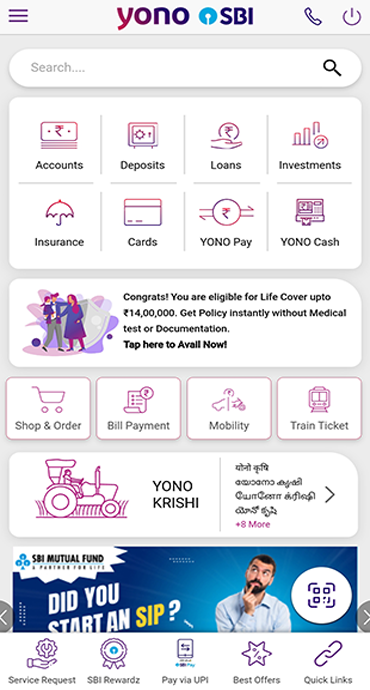
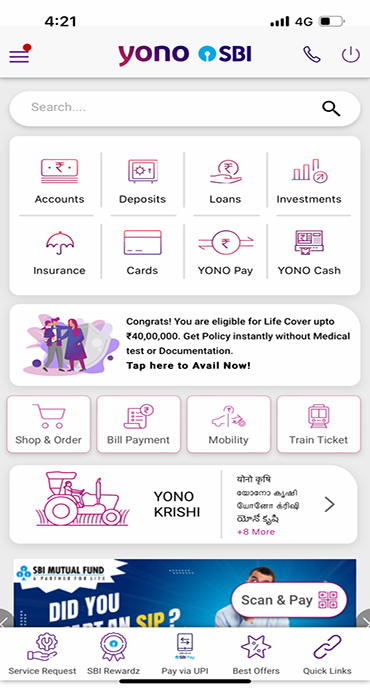
SBI WhatsApp Banking is the fastest way to handle everyday banking needs without stepping into a branch. Balance checks, mini statements and other informations are all available 24*7 through a simple WhatsApp chat. For advanced needs like transfers, investments and bill payments pair it with YONO SBI for the complete digital banking experience. Stay safe, use only official SBI channels and never share your banking credentials with anyone.