


How to Recognize & Avoid Phishing Scams — SBI Guide - Yono











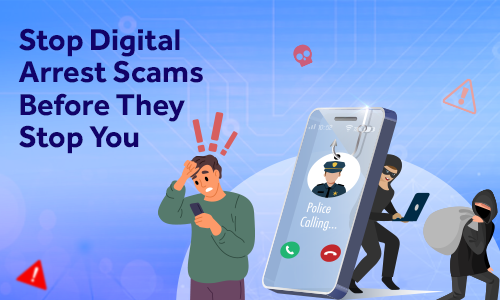




Phishing Attacks: How to Spot Scams and Protect Yourself
01 Jan, 2026
cybersecurity

Digital banking has revolutionised financial management for millions of Indians but at the same time it has also opened doors for cybercriminals to exploit unsuspecting customers through phishing scams. These deceptive tactics trick people into revealing sensitive information like passwords, OTPs and account details leading to financial losses.
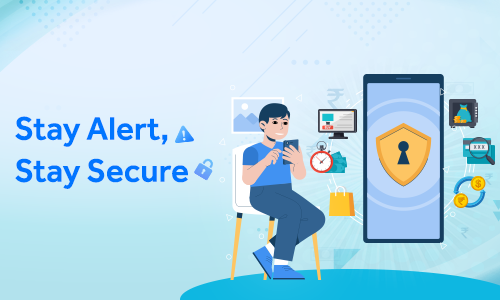
At State Bank of India (SBI) protecting our customers from online banking fraud is a top priority. This guide will help boost your cybersecurity awareness and provide the steps to identify warning signals and actions to protect your financial security.
What is Phishing?
Phishing attack is a type of cyber fraud where criminals impersonate legitimate organisations—such as banks, government agencies or trusted companies—to deceive individuals into sharing confidential information. The primary goal is to steal login credentials, card numbers, Aadhaar details and OTPs for unauthorised access to their bank accounts.
Common Forms of Phishing
Email Phishing:
Fraudulent emails appearing from legitimate sources containing urgent messages about account security issues or mandatory updates with links to phishing websites or malware attachments.
SMS Phishing (Smishing):
Text messages mimicking official bank notifications about blocked cards, account issues or pending KYC updates which contain malicious links or scammer phone numbers.
Voice Phishing (Vishing) :
Phone calls where scammers pose as bank representatives or its officials using social engineering trick to extract sensitive information or pressurize victims for money transfers.
Spear Phishing:
Highly targeted and convincing attacks on specific individuals using personalised information gathered from social media and public records.
Fake Websites or Clone Sites:
Sophisticated replicas of legitimate banking websites designed to capture login credentials with URLs containing subtle differences which may get overlooked by individuals.
Red Flags & Cautionary Steps: How to Spot and Prevent Phishing Email, SMS or Call
Suspicious Links and URLs:
Hover before clicking to check misspelled domains, unusual extensions or random character strings. Legitimate SBI links are always directed to official SBI domains.
Unknown Senders:
Check email addresses and sender SMS IDs carefully for small variations like "sbi-bank.com" instead of "sbi.co.in."
Urgent or Threatening Tone:
Phrases like "Act immediately" or "Account will be blocked in 24 hours" create artificial pressure in order to create panic. Legitimate bank notices provide reasonable timeframes.
Poor Grammar and Spelling:
Multiple grammatical mistakes and awkward phrasing suggest illegitimate sources.
Requests for Sensitive Information:
Always note that banks will never ask for passwords, PINs, CVV numbers, or OTPs via email, SMS or any phone calls.
Too-Good-To-Be-True Offers:
Messages promising lottery winnings, unexpected refunds, or guaranteed investment returns are almost always scams.
Identifying a Real Phishing SMS – Example is below:
The Phishing Message:
"ALERT: Your SBI Account has been temporarily locked due to suspicious activity. Click here immediately to verify: sbi-secure-verify.com/update OR call 9876543210. Failure to verify within 2 hours will result in permanent account closure. -State Bank".
Red Flags in messages:
- Urgent deadlines (say 2 hr) with an intention to create panic.
- Suspicious URL "sbi-secure-verify.com" (not an official SBI domain)
- 10-digit mobile number instead of official toll-free numbers
- Generic sender " - State Bank" instead of official name of bank (-SBI)
Correct Action:
Delete immediately unwanted SMS and mark calls as spam. Do not click or call the number. Verify your account details only through the official YONO SBI app, YONO Net Banking/Bank’s authorised customer care number.
How to Verify if a Message is from SBI
Official Communication Channels:
- Email domains: Any legitimate emails to customer will come from @sbi.co.in only.
- SMS headers: SBIINB, SBIPSG or SBICRD (not 10-digit numbers)
- Verified platforms: YONO SBI app (available in play store)/, YONO Net Banking https://onlinesbi.sbi.bank.in/ ,Toll-Free numbers (18001234/1800 2100/1800112211/18004253800)
What SBI will never do:
- Ask for passwords, PINs, CVV or OTP through any channel via call, SMS or email.
- Request remote access applications: Calls made through WhatsApp.
- Ask to transfer funds to so called "secure" accounts which are actually suspicious.
Tips for Families and Senior Citizens:
Educate family members especially elderly to never share banking details over phone or email to anyone, always verify calls by calling back using official numbers and take time before responding to urgent requests. Create a culture of cybersecurity awareness and establish protocols for verifying unusual financial requests.

How to Report Phishing Attacks
If you have clicked link on phishing mail or in SMS or have shared critical banking information, take immediate steps to report the incident along with relevant screenshots and complete details of the transaction.
1. Report Unauthorised Transactions:
a. Call/ (Helpline numbers available through YONO/Bank Website)
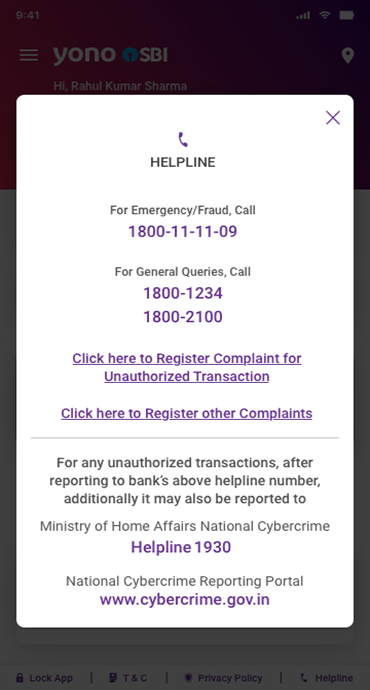
- SBI Customer Care (Toll Free Numbers): 1800 1111 09, 9449112211, 08026599990
- Through YONO App go to “Access Services' and look for “Report Unauthorised Transactions” menu
- National Cyber Crime Portal: www.cybercrime.gov.in, Helpline number: 1930
- Local Police Cyber Crime Cell for formal FIR
b. Email:
Forward to report.phishing@sbi.co.in with complete details and screenshots.
c. Website:
Report through the link https://crh.sbi.bank.in/
2. Block Your Cards:
SMS "BLOCK XXXX" to 567676 through your mobile number where XXXX is last four digits of ATM Card or call 1800 1234 / 1800 2100/1800 425 3800. Through YONO App go to “Access Services' and look for “Block Card” menu to block your debit card.
3. Change Passwords Instantly:
Through official YONO SBI app or through YONO Net Banking.
4. Scan Your Device:
Run comprehensive antivirus scan, consider factory reset through your mobile settings if severely compromised.
5. Monitor Accounts Closely:
Watch for unusual activity, new beneficiaries or attempted transactions.
Conclusion
Phishing attacks represent persistent threats to online banking security but knowledge and vigilance are your strongest defences. Your cybersecurity awareness should extend beyond personal protection. By sharing this knowledge with family and friends, you contribute to a safer digital banking community.
Stay informed about phishing attack tactics, verify communications independently, maintain robust security practices and report suspicious activities promptly. Your awareness today prevents losses tomorrow.




Related Blogs That May Interest You



